CONTENTS · BUILDER WISDOM · 7 MIN
BUILDER WISDOM · 7 MIN READ
LAST VERIFIED
24 SEPT 2026
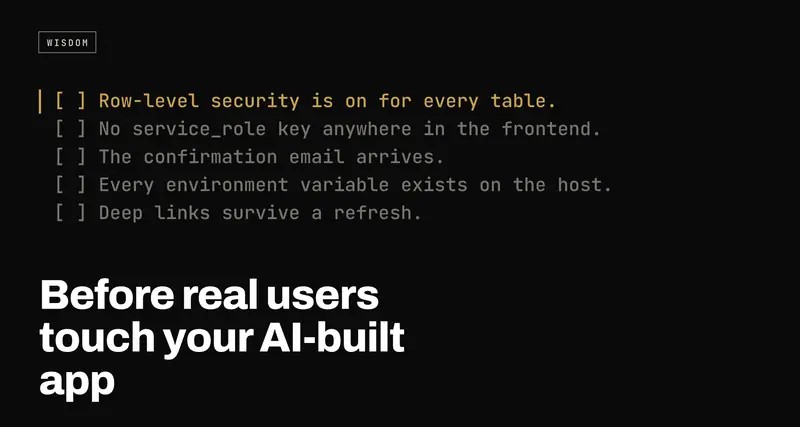
Before real users touch your AI-built app: the production checklist
USE WHENYou built an app with Lovable, Bolt, Cursor or v0, it works in the preview, and you're about to send the link to people who aren't you.
An app that works in the preview has passed one test: it works for you, on your machine, with your account. This is the list of what I check before anyone else uses it: security, auth, deployment, data, errors, performance, visibility, legal basics and one habit. Each check comes with why it matters and a way to verify it yourself.
- 01Test as a stranger: logged out, on a phone, on the live domain, with a fresh email address.
- 02Fix security and auth before anything else. Everything else on this list can be fixed after launch without anyone getting hurt.
- 03Take a checkpoint before every prompt, so any change the AI makes can be undone.
An app built with Lovable, Bolt, Cursor or v0 that works in the preview has passed exactly one test: it works for you, on your machine, logged in as you, with data you created. Real users break every one of those assumptions within the first hour.
Nothing below is exotic. It's the list I work through before an app like this goes in front of people, grouped by area, with a short reason for each check and a way to verify it without needing to read the code. Where a check has a full write-up of its own, I've linked to it rather than repeating it here.
Work top to bottom. The order matters: the first two sections protect your users, and the rest protect your launch.
Security
This is the section where a mistake is permanent. A slow page can be fixed next week. A table that anyone could read for a month is a table that has been read.
- Row-level security is on for every table, with real policies. The
Supabase key in your app's JavaScript is public by design. RLS is the only thing
deciding what that key can reach, and a policy written as
using (true)is the same as no policy at all. Verify: in the Supabase dashboard, every table in thepublicschema should show RLS enabled, and every policy should mentionauth.uid()or an equivalent owner check. How RLS works and how to check yours. - No
service_rolekey anywhere in the frontend. That key skips RLS entirely. AI tools sometimes reach for it when a query is blocked, because it makes the error go away. Verify: search your code forservice_roleand for any environment variable withSERVICEin the name that starts withVITE_orNEXT_PUBLIC_. If you find one, treat it as leaked, not just misplaced: what to do when the service role key is exposed. - Storage buckets are private unless they must be public. Buckets have their own policies, separate from your tables. Profile photos can be public; invoices, uploads and anything with a name on it shouldn't be. Verify: check each bucket's public toggle, then open a file URL in a private window while logged out.
If you'd rather not click through all of that by hand, the free Supabase security check looks at your live app from the outside, the same way a stranger would.
Auth
Signup is the first thing a new user does, which makes it the worst possible place for a bug. They don't file a report. They leave.
- The confirmation email arrives, and the link in it works. Supabase's built-in email sender is rate-limited and meant for testing. Before launch, connect your own SMTP provider. Verify: sign up with an address you've never used, check it lands in the inbox rather than spam, and click the link on a different device.
- Redirect URLs point at your real domain. The Site URL and redirect list
in Supabase often still say
localhostor the preview address, so confirmation links send people somewhere that doesn't exist. Verify: read the list in Authentication → URL Configuration and make sure your production domain is on it. - Password reset works end to end. It's the flow nobody tests, because the person who built the app knows their password. Verify: request a reset, follow the email, set a new password, log out, log back in with it.
When any of these fail, the symptoms are confusing and the causes are few: why Supabase signup and login break after deploy.
Deployment
The preview and your host are different environments, and the gap between them is small and predictable.
- Every environment variable exists on the host. Your
.envfile doesn't get deployed. Verify: compare your local.envagainst the host's project settings, name by name, then redeploy, because variables are read at build time. - Deep links survive a refresh. In a single-page app,
/dashboardonly exists in the browser. The server has no such file and returns a 404 unless you tell it to serveindex.html. Verify: open any page that isn't the home page and press refresh. - The custom domain works with and without
www, over HTTPS. Verify: type both versions into a browser and check both end up on the samehttps://address with no certificate warning.
All three, plus two more, are covered in works locally, breaks on Vercel.
Data
- You know what your backups are. Not whether they exist in principle, but what your current plan actually includes, how far back you can restore, and whether point-in-time recovery is on. Verify: read the backups page for your database project. If the honest answer is "nothing I could restore from", decide whether that's acceptable before users start writing data you can't recreate.
- Schema changes live in migrations. Tables edited by hand in a dashboard can't be reproduced, reviewed or rolled back. Verify: could you rebuild your database from files in your repo? If not, export the current schema now so you at least have a starting point.
- Columns you filter on are indexed. Every
where user_id = ...runs on every page load. With ten rows it's instant regardless; with ten thousand, an unindexed column is the reason the dashboard feels slow. Verify: list the columns your queries filter or sort by, and check each one has an index.
Errors and monitoring
Your app will fail in front of someone. The question is whether you find out, and what they see when it happens.
- Errors reach you without a user having to report them. Add an error tracker. Most have a free tier that is plenty at launch. Verify: throw a deliberate error in production and confirm it shows up with a stack trace you can read.
- Failure has a designed screen. A white page is the default when a React component crashes. Verify: turn off your network in the browser's dev tools and use the app. Every screen should say something useful, and none should spin forever.
Performance
You built it on a fast laptop on good Wi-Fi. Your users are on phones.
- Run Lighthouse in mobile mode on the live site. Not the preview, not desktop. Verify: Chrome dev tools → Lighthouse → Mobile, and read the list of opportunities rather than just the score.
- Images are sized for where they're shown. A four-megabyte hero image is the most common reason an otherwise simple page is slow. Verify: in the Network tab, sort by size and look at the top five.
- Total page weight is reasonable. Verify: the Network tab's footer shows the total transferred. If it's several megabytes for a landing page, something is being shipped that doesn't need to be.
Visibility
- Crawlers see your content, not an empty page. Apps built this way are
usually rendered in the browser, so the HTML a crawler receives can be almost
blank. Verify: run
curlagainst your homepage and look for your headline in the output. - Every page has its own title and description. Verify: open three different pages and look at the browser tab. If they all say the same thing, so will every search result.
- There's a sitemap, and it's submitted. Verify: visit
/sitemap.xml, then submit it in Google Search Console.
The full picture, including what link previews and AI assistants see: why Google and ChatGPT can't see your Lovable app.
Legal basics
I'm not a lawyer and this isn't legal advice. It's the minimum to have thought about, and the point at which to ask someone who is.
- A privacy policy exists and describes what you actually collect. If you store emails, run analytics or send data to an AI provider, it should say so. A generated template that mentions none of your real services doesn't help you.
- Cookie and consent handling matches where your users are. Some regions require consent before non-essential cookies or analytics load. Work out whether that applies to you and, if it does, check that the analytics script really waits for the answer rather than loading first.
- Users can delete their account, or at least ask to. Somebody will ask, and it's better to have an answer ready than to be working it out in a hurry.
The habit: checkpoint before every prompt
The checklist above is a snapshot, and every prompt after launch can undo part of it. AI tools edit several files at once to satisfy one request, and the file they touch that you didn't ask about is usually the one that breaks.
- Commit, or take a checkpoint, before each prompt. Then a bad change is one click to undo instead of an afternoon of re-prompting.
- Re-test signup, login and one core flow after any change that touched auth or the database. It takes two minutes, which is less time than a user takes to give up.
Why one prompt breaks something unrelated, and how to stop it happening: when an AI prompt breaks other things.
When you're done
You won't get every box ticked before launch, and not all of them need to be. Security and auth do. The rest can follow in the first week, as long as you know which ones are still open.
If you'd rather someone else went through it with you, there's a free audit.
