CONTENTS · FIXES · 6 MIN
FIXES · 6 MIN READ
THE FIX
Stop prompting forward from a broken state: revert to the last good checkpoint, ask for one named change at a time with what must not change, and put a signup-to-core-action smoke test between every change and every deploy.
LAST VERIFIED
24 SEPT 2026
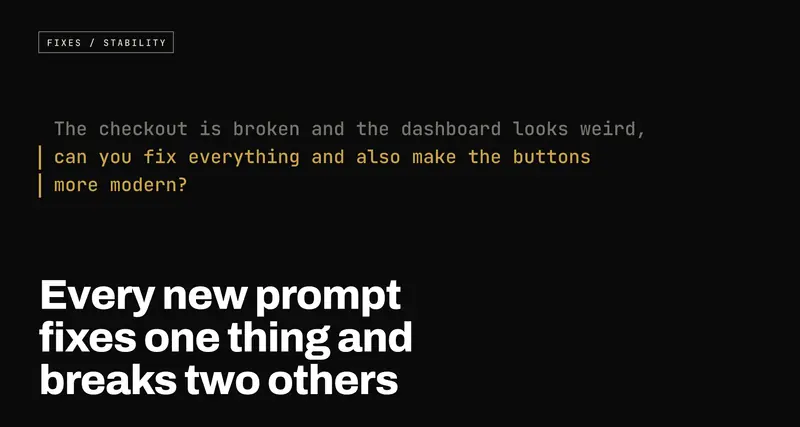
Every new prompt fixes one thing and breaks two others: why AI-built apps regress, and how to stop the loop
USE WHENYour app was built with Lovable, Bolt, Cursor or Claude Code, and every fix you ask for quietly breaks something that used to work, so you're spending more time re-fixing than building.
When an AI tool edits your app, it often rewrites more than you asked, has no memory of why the old code was the way it was, and nothing checks that everything else still works afterwards. That's the regression loop. Why it happens, and the habits that end it: checkpoints you revert to, one change per prompt, a plan before code, a few automated tests, and a file that remembers your decisions.
You ask for the pricing page button to be blue. It's blue. The checkout no longer opens. You ask for the checkout to be fixed. It opens, and now the dashboard shows someone else's name in the corner. You ask for that to be fixed, and the login page loses its "forgot password" link.
If that sounds familiar, nothing is wrong with you, and the tool isn't malicious or broken. It's doing exactly what it was built to do, in a situation it can't see all of. The loop has causes, and each one has a remedy that doesn't require you to learn to code.
Why it happens
The model edits more than you asked for
When you ask Lovable, Bolt or Cursor to change one thing, the model doesn't edit your app the way a person does, by putting the cursor on one line and changing it. It produces new text for the parts of the file it thinks are relevant, and sometimes that's the whole file. In doing so it can tidy up a function it wasn't asked about, rename a variable, drop a check it didn't understand the purpose of, or simplify a condition that looked redundant but was there for a reason.
Each of those feels harmless to the model. Each can break something that happens three screens away from the button you asked about.
It has no memory of why the code is the way it is
Suppose, weeks ago, you spent an afternoon getting the signup form to stop creating duplicate accounts, and the fix was one odd-looking line. You know why that line is there. The model doesn't. It sees the code as it is today, not the conversation that produced it, and an odd-looking line is exactly the kind of thing it will "clean up" on its way to doing something else.
Human teams solve this with commit messages, comments and code review: the reason for a decision is written down next to it. Most AI-built apps have none of that, so every prompt starts with a collaborator who has never seen the project before.
Nothing checks that everything else still works
This is the big one. In a professionally built app, a change is followed by automated tests: small programs that sign up a fake user, click through the important screens and complain loudly if anything changed. They don't stop mistakes being made. They stop mistakes being shipped without anyone noticing.
An AI-built app usually has no tests at all. The only check is you, clicking around the part you asked about. The part you didn't ask about goes unchecked until a customer finds it.
The same logic lives in three places
AI tools are generous with copy and paste. Ask for a discount on the cart page and then on the checkout page, and you may well get two separate pieces of code that calculate prices. Later you ask for the discount to change, the model updates one of them, and now the cart and the checkout disagree about what the customer owes.
That's not one bug. It's a copy of the logic drifting away from the other copy, and it will keep producing bugs until the two are merged into one.
Big files fall out of view
Models read your code through a window of limited size. A 2,000-line
Dashboard.tsx that does everything is hard for them to hold in full, so they
work on the part they can see and guess at the rest. The larger a file grows,
the more of each edit is guesswork, and AI-built apps tend to grow a few
enormous files, because adding to an existing file is the path of least
resistance.
It fixes the symptom, not the cause
"The total shows NaN" is a symptom. The cause might be a price stored as text in the database. Asked to make the NaN go away, a model will often do just that: add a check that hides it on this one screen. The cause is still there, and it surfaces next week on a different screen, as a different-looking bug that you'll prompt about separately.
The way out
Revert instead of prompting forward
The single most useful habit: when a change breaks something, go back to the version before it, rather than asking for another change on top.
Every one of these tools keeps history. Lovable and Bolt have a version history you can restore from. Cursor and Claude Code both keep checkpoints of the files they edit, so you can rewind an agent's changes. And if the project is connected to GitHub (which it should be), git keeps every committed version forever.
Prompting forward from a broken state stacks a new guess on top of an old mistake. Reverting costs you one change, and puts you back on ground you know works. Then try again, with a better prompt.
One change per prompt, named precisely
Compare these two.
The checkout is broken and the dashboard looks weird, can you fix
everything and also make the buttons more modern?
In src/pages/Checkout.tsx, clicking "Pay" does nothing and the browser
console shows "Cannot read properties of undefined (reading 'id')".
Find the cause and fix only that.

Do not change any other file. Do not change the styling, the Stripe
call, or how the total is calculated. If the fix needs changes
elsewhere, stop and tell me what and why before making them.
The first gives the model permission to touch anything. The second names the file, gives it the actual error, asks for the cause rather than a cover-up, and draws a line around what must not change. It is slower to write and much faster overall, because you'll only need to check one thing afterwards.
Ask for a plan before the code
For anything bigger than a one-line change, ask the tool to explain what it intends to do first:
Before writing any code: I want users to be able to invite a teammate
to their workspace. List which files you'd change, what you'd add to
the database, and anything existing that this could affect. Don't
make any changes yet.
Most of these tools have a mode built for this: Claude Code has plan mode, Cursor's Ask mode discusses without editing, and Lovable has a chat mode that talks things through without touching code. Read the plan. If it mentions rewriting the login page to add an invite feature, you've just caught the regression before it existed.
Split the giant files
If one file has grown past a few hundred lines, ask for it to be broken up, as its own job and nothing else:
Split src/pages/Dashboard.tsx into smaller components in
src/components/dashboard/. This is a pure restructure: the page must
look and behave exactly as it does now. No new features, no styling
changes, no renamed props.
Check it, then keep it. Every later edit becomes smaller and more accurate, because each file now fits in the window.
A handful of smoke tests
You don't need hundreds of tests. You need a few that walk through the paths your business depends on, and fail if any of them stops working. A tool called Playwright does this by driving a real browser. Here's the shape of one, for signup followed by the thing your app is actually for:
import { test, expect } from '@playwright/test';

test('a new user can sign up and create a project', async ({ page }) => {
  const email = `smoke+${Date.now()}@example.com`;

  await page.goto('/signup');
  await page.getByLabel('Email').fill(email);
  await page.getByLabel('Password').fill('a-long-test-password-123');
  await page.getByRole('button', { name: 'Sign up' }).click();
  await expect(page).toHaveURL(/dashboard/);

  await page.getByRole('button', { name: 'New project' }).click();
  await page.getByLabel('Project name').fill('Smoke test');
  await page.getByRole('button', { name: 'Create' }).click();
  await expect(page.getByText('Smoke test')).toBeVisible();
});
Point it at a test copy of your app rather than the live one, especially if signup sends a confirmation email. You can ask your AI tool to write tests like this for your own screens. Then run them after every change. When one fails, you've learned which prompt broke what, minutes after it happened, instead of from a customer.
Alongside the automated tests, keep a short manual checklist and go through it before each deploy. Five minutes, the same every time: sign up as a new user, log in, do the core action, pay (in test mode), log out, and refresh a page that isn't the home page. Boring is the point.
Write your decisions down where the tool will read them
Every one of these tools can be given standing instructions that it reads
before every prompt: a CLAUDE.md file for Claude Code, rules files in
.cursor/rules for Cursor, and the Knowledge section of a Lovable project's
settings. That's where the memory the model lacks can live.
Put in the things you've learned the hard way:
- All prices are calculated in src/lib/pricing.ts. Never calculate a
  price anywhere else.
- Never edit supabase/migrations files that already exist; add a new one.
- The duplicate-signup check in src/lib/auth.ts is deliberate. Keep it.
- Don't change files outside the one named in the prompt without asking.
Each time a regression teaches you something, add a line. The file becomes the project's institutional memory, and the tool finally has a reason not to undo last month's fix.
When to stop prompting
Sometimes the loop has gone on long enough that the codebase itself is the problem: the same logic in four places, files nobody can hold in their head, fixes layered on fixes. The signs are that you've been prompting about the same area for days, that reverting doesn't help because you're no longer sure which version was good, or that the bugs are now in things you've never asked about.
At that point another prompt is unlikely to be the answer. What helps is a person reading the code: finding where logic is duplicated and merging it, fixing the causes that have been papered over, and putting the tests in place so the next change can be checked. It's usually not a rewrite. It's an afternoon of reading followed by a small number of careful changes, after which the AI tools become useful again, because they're working in a codebase that tells them when they've broken something.
