CONTENTS · FIXES · 7 MIN
FIXES · 7 MIN READ
THE FIX
Handle unconfirmed users on purpose, send auth email through your own SMTP, point Site URL and Redirect URLs at your real domain, and create profile rows with a security definer trigger on auth.users instead of from the browser.
LAST VERIFIED
24 SEPT 2026
Users sign up, then can't log in: the six ways Supabase auth breaks in AI-built apps
USE WHENPeople can create an account in your Lovable, Bolt or Cursor app, but logging in fails, the confirmation email never shows up, or they're logged out every time they refresh.
When sign-up works and login doesn't, the cause is almost never the password. It's email confirmation the app doesn't handle, confirmation emails the built-in sender won't deliver, a Site URL still pointing at localhost, a link opened in the wrong browser, a session the app forgets on reload, or a profile row that RLS refused to create. How to tell which in five minutes, and the fix for each.
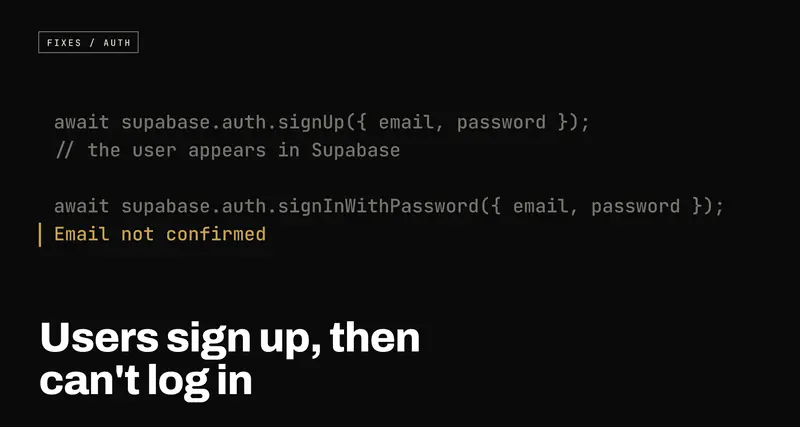
People can sign up, but they can't log in. The sign-up form says "Success!", the user appears in Supabase, and then the login form says "Invalid login credentials" to someone who typed the right password.
The password is almost never the problem. Supabase Auth has a few moving
parts (an email step, a list of allowed addresses, a session stored in the
browser, usually a profiles table), and AI tools wire up the happy path and
skip the rest. Here are the six places it breaks, and how to tell which is
yours.
1. Email confirmation is on, and the app doesn't know
What you see: sign-up "works", login fails. Sometimes the error says
Email not confirmed; often the app swallows it and shows a generic "invalid
credentials" or "something went wrong".
Why: Supabase projects have Confirm email switched on by default. With
it on, signUp() creates the user but does not log them in: it returns a
user and a session of null. Until they click the link in the confirmation
email, every signInWithPassword() for that address is refused with the error
code email_not_confirmed.
A lot of generated sign-up code assumes the opposite. It sees no error, navigates to the dashboard, finds no session, and bounces the user to a login that refuses them.
There's a second trap here. With confirmation on, signing up again with an
email that already exists doesn't return an error either, because Supabase
deliberately won't reveal which addresses have accounts. It returns a
lookalike user with an empty identities list. So "I'll just sign up again"
looks like it worked, and changes nothing.
The fix: decide whether you want confirmation, then make the app agree.
If you keep it (you should, for most apps: it stops people signing up with
someone else's address), handle the null session and the specific error:
const { data, error } = await supabase.auth.signUp({
  email,
  password,
  options: { emailRedirectTo: `${window.location.origin}/auth/confirm` },
});

if (error) return showError(error.message);

if (!data.session) {
  // Confirmation is on: the account exists, but they're not logged in yet.
  return showMessage('Check your inbox for a link to confirm your email.');
}
And on the login form, check error.code === 'email_not_confirmed' and offer
to resend the email with supabase.auth.resend({ type: 'signup', email }),
rather than telling someone with the right password that it's wrong.
If you don't want confirmation (an internal tool, say), turn it off under Authentication → Sign In / Providers → Email.
2. The confirmation email never arrives
What you see: sign-up worked when you tested it with your own address. Real users say the email never came, came late, or went to spam.
Why: until you configure otherwise, Supabase sends auth email through its own built-in mail service. That service exists so you can try auth out during development. It's rate-limited to a small number of emails per hour across the whole project, it isn't built for deliverability, and on current projects it only delivers to addresses belonging to members of your Supabase team. Which is exactly why it worked when you tested it, and doesn't for anyone else.
The fix: connect your own email provider. Any transactional sender with SMTP credentials works (Resend, Postmark, Amazon SES, SendGrid and so on). Verify your sending domain with them, including the SPF and DKIM DNS records they give you, then enter the host, port, username and password in Supabase under Authentication → Emails → SMTP Settings. Once custom SMTP is on, the email rate limit becomes yours to raise under Authentication → Rate Limits.
3. The confirmation link goes to localhost
What you see: the email arrives, the user clicks, and lands on
localhost:3000, a Lovable preview URL, or an error saying the redirect isn't
allowed. They never get logged in.
Why: the email link goes to Supabase first, which confirms the address
and then sends the user on to your app, using two settings filled in during
development and never touched again: the Site URL (the default destination) and the Redirect
URLs (the only other destinations allowed). If the emailRedirectTo your
code asks for isn't on the list, Supabase silently falls back to the Site URL.
The fix: under Authentication → URL Configuration, set the Site URL to
your production domain and add every legitimate return address to Redirect
URLs: production, your preview-deployment pattern if you use one, and your
local dev port. I cover this in more detail in
works locally, breaks on Vercel.
Build redirect addresses from window.location.origin, never a hardcoded
string, as in the snippet above.
4. The link was opened in a different browser
What you see: confirmation works for some people and fails for others: the ones who signed up on a laptop and clicked the email on their phone, or whose mail app opened the link in its own built-in browser. The error mentions a "code verifier" or an invalid flow state.
Why: many Supabase setups use what's called the PKCE flow (it's the
default in @supabase/ssr, and common in generated code). When a user signs
up, their browser makes up a random secret and keeps it in its own storage,
sending Supabase only a scrambled version of it. The link in the email then
comes back to your app with a one-time code, and to turn that code into a
logged-in session, the app has to present the original secret. Only the
browser that started the sign-up has it. Open the link anywhere else and the
exchange fails.
The part worth knowing: by the time that exchange fails, the email is already confirmed. Supabase marks it confirmed before redirecting. The user just isn't logged in. So the most useful immediate fix is honest UI: if the exchange fails, say "Your email is confirmed. Please log in." instead of an error.
The fix: make the confirmation link independent of the browser. Edit the Confirm signup email template so the link carries a token hash instead of going through Supabase's redirect:
<a href="{{ .SiteURL }}/auth/confirm?token_hash={{ .TokenHash }}&type=email">
  Confirm your email
</a>
Then, on that page in your app, verify it directly. This needs no stored secret, so it works in any browser, on any device:
const params = new URLSearchParams(window.location.search);
const { error } = await supabase.auth.verifyOtp({
  token_hash: params.get('token_hash')!,
  type: 'email',
});
5. They're logged out every time they refresh
What you see: login works. Then a page refresh sends the user back to the login screen, even though, if they navigate to the home page, they're somehow still logged in.
Why: usually it's a race, not a lost session. Supabase keeps the session in
the browser's storage and restores it when the page loads, but that takes a
moment. A route guard that checks "is there a user?" on the very first render
sees nothing yet and redirects to login before the answer arrives. Less often,
the client was created with persistSession: false, or the app creates more
than one Supabase client and they disagree.
The fix: treat auth as having three states, not two: loading, logged in, logged out. Don't redirect anyone until loading is over.
const [session, setSession] = useState<Session | null>(null);
const [loading, setLoading] = useState(true);

useEffect(() => {
  const { data } = supabase.auth.onAuthStateChange((_event, session) => {
    setSession(session);
    setLoading(false);
  });
  return () => data.subscription.unsubscribe();
}, []);

if (loading) return <Spinner />;
if (!session) return <Navigate to="/login" />;
onAuthStateChange fires once on load with the restored session (the
INITIAL_SESSION event), then on every login, logout and token refresh. Create
the Supabase client once, in one file, and keep this callback synchronous:
awaiting other Supabase calls inside it can make the client hang.
On getSession() versus getUser(): getSession() reads browser storage
without checking with the server, which is fine for deciding what to show.
getUser() asks Supabase whether the token is still valid; use it anywhere a
decision has to be trusted, such as a server or an edge function.
6. The profile row was never created
What you see: sign-up succeeds, login succeeds, and then the app shows an
error, a blank dashboard, or logs the user straight back out. The network tab
shows a failed request to /rest/v1/profiles, often with the message
new row violates row-level security policy.
Why: most apps keep extra user details in a profiles table, and the
generated code typically inserts that row from the browser, straight after
signUp(). But if email confirmation is on, there's no session at that point
(see section 1), so the insert runs as an anonymous visitor. A correct RLS
policy, one that only lets users create their own profile, rejects it. The user
exists; their profile doesn't; and every page that loads the profile with
.single() now errors, which the app reads as "this user is broken".
The fix: don't create the profile from the browser at all. Let the database
do it the moment the user is created, with a trigger on auth.users:
create function public.handle_new_user()
returns trigger
language plpgsql
security definer
set search_path = ''
as $
begin
  insert into public.profiles (id, full_name)
  values (new.id, new.raw_user_meta_data ->> 'full_name');
  return new;
end;
$;

create trigger on_auth_user_created
  after insert on auth.users
  for each row execute procedure public.handle_new_user();
security definer makes the function run with the permissions of whoever
created it rather than the anonymous visitor, so RLS doesn't stand in its way.
set search_path = '' stops anyone from redirecting it to a lookalike table,
which is why every table name inside is written in full, public.profiles.
Pass the name in at sign-up with options: { data: { full_name } } and it
arrives in raw_user_meta_data.
Two cautions. If this function errors, the sign-up itself fails with Database error saving new user, so keep it to a single simple insert. And it only runs
for new users, so backfill the ones who are already stuck:
insert into public.profiles (id)
select id from auth.users
on conflict (id) do nothing;
Then delete the insert from your front-end code.
How to diagnose it in five minutes
Sign up with a fresh address you control, then look in three places.
- The Users table. In Authentication → Users, find the new user. If
they show as waiting for verification, or
confirmed_atis empty in the SQL Editor (select email, confirmed_at from auth.users order by created_at desc;), you're in section 1, 2, 3 or 4. - The Auth logs. Under Logs → Auth in the dashboard, every sign-up, email send and login attempt is recorded with its real error: a failed send, a rate limit, a disallowed redirect or a bad code verifier, in plain words.
- The network tab. In the browser's developer tools, log in and watch the
request to
/auth/v1/token. Its response names the error your UI may be hiding. Then watch what follows: a401or403from/rest/v1/profilesis section 6.
If all three look clean and the user is still logged out after a refresh, you're in section 5.
