CONTENTS · FIXES · 6 MIN
FIXES · 6 MIN READ
THE FIX
Replace the leaked secret key in Supabase's API keys settings, update it on your server only, strip it from client code and git history, check the logs, then move the privileged work into an Edge Function and fix RLS so the public key is enough.
LAST VERIFIED
24 SEPT 2026
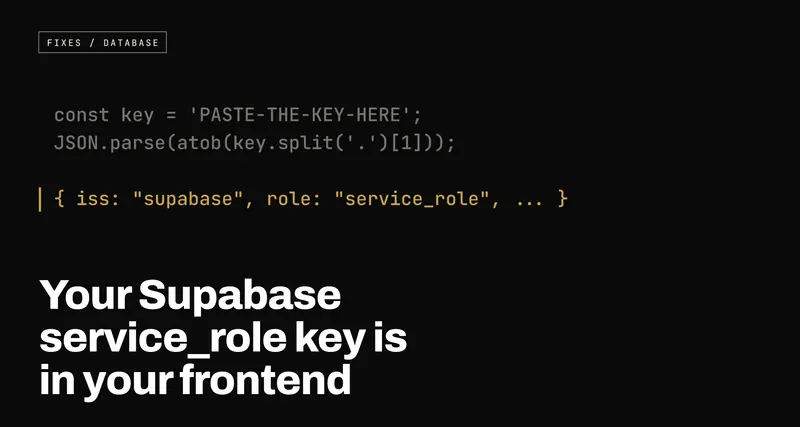
Your Supabase service_role key is in your frontend: how to check, what to do first, and the real fix
USE WHENYour app talks to Supabase from the browser, and somewhere in its code or its environment variables there's a key with service_role or sb_secret_ in it, or you can't say for certain that there isn't.
Supabase gives you two kinds of key. The public one is meant to be in your JavaScript; the service_role (or sb_secret_) key skips every security rule on your database and must never leave a server. How it ends up in AI-built frontends, how to check your live site in five minutes, what to do in the first hour if it's there, and how to rebuild the feature so it never needs to be.
Every Supabase project has two kinds of API key. One is designed to be printed in your website's JavaScript for anyone to read. The other is the master key to your database, and if it's in your JavaScript too, anyone who opens your site can read, change or delete every row you have, and every user account with them.
Two keys, two very different jobs
The public key is called the anon key in older projects and the
publishable key (starting sb_publishable_) in newer ones. A request made
with it runs as a low-privilege role, and what that role can see is decided by
row-level security, the rules inside your database. I've written up
how RLS works and how to check yours; the short
version is that the public key is an address, and RLS is the lock.
The secret key is called the service_role key in older projects, and in
newer ones a secret key, starting sb_secret_. It exists for code you run
on a server: admin scripts, background jobs, webhooks. A request made with it
bypasses RLS entirely. Not "has more permissions". Bypasses. Every policy you
wrote is simply not consulted. It can also reach Supabase's admin functions for
user accounts, which means listing your users' emails, or deleting them, and it
ignores the access rules on your Storage buckets too.
So if the secret key is in your frontend, it doesn't matter how good your RLS is. The lock is fine. You've handed out the master key.
How it ends up in the browser
I see three routes, and none of them requires anyone to do anything obviously wrong.
The prefix. Vite only puts environment variables into the browser code if
their names start with VITE_; Next.js does the same with NEXT_PUBLIC_. So
when a variable is undefined in the app, the quick fix is to add the prefix.
VITE_SUPABASE_SERVICE_ROLE_KEY works immediately, and it works by pasting the
key into the JavaScript every visitor downloads. (More on how those prefixes
behave in works locally, breaks on Vercel.)
The AI tool "fixing" a permissions error. RLS is doing its job, and your app
hits an error like new row violates row-level security policy. You ask the AI
to fix it. The fastest change that makes the error go away is to swap the
public key for the service_role key, and sometimes that's exactly what it
does. The error disappears because the security disappeared. It's worth
searching your code even if you never pasted the key yourself.
A committed .env file. The key was only ever meant for a server, but the
.env file holding it got committed, and the repository is public, or becomes
public later. Deleting the file in a new commit doesn't help: it's still in the
history, and anyone can read that.
How to check, in five minutes
1. Search what your live site actually ships. Open your production site in
Chrome, open the developer tools, and press Ctrl+Shift+F (Cmd+Option+F on a
Mac) to search every loaded file. Search for sb_secret_. Then search for eyJ:
the older keys are JWTs, and every JWT starts with those three characters. Note
that searching for service_role itself won't find a legacy key, because the
word is encoded inside it.
A cleaner test: copy your service_role key from Supabase's API keys settings, and search your site for its last ten or so characters. (Not the first ten. Every Supabase JWT starts with the same header, so the start of your anon key will match too.) If it's found, it's leaked.
2. Decode any JWT you find. A JWT is three chunks separated by dots, and the middle chunk is just encoded text, not encrypted. It says which role the key is for. Don't paste a key you suspect is secret into a website to decode it; that's one more place it's been. Decode it locally instead. In the browser console:
const key = 'PASTE-THE-KEY-HERE';
JSON.parse(atob(key.split('.')[1].replace(/-/g, '+').replace(/_/g, '/')));
You'll see something like { iss: "supabase", ref: "abcd...", role: "anon", ... }.
role: "anon" is the public key, and that's fine. role: "service_role" is the
one that should never be there.
3. Check your git history, including anything you've deleted. From the project folder:
git log --all -p -S "service_role" --oneline
git log --all -p -S "sb_secret_" --oneline
git log --all --oneline -- .env .env.local .env.production
If the repository is or ever was public, anything those commits contain should be treated as published.
If you'd rather not do any of this by hand, the free Supabase check on
this site does the outside-in version. It deliberately refuses a service_role or
sb_secret_ key if you paste one (it will tell you to rotate it instead), and
uses your public key to show you what that key can read.
What to do right now, in this order
If you found it, treat it as used. Keys in public JavaScript are picked up by automated scanners, so the question isn't whether someone could have copied it.
1. Replace the key. Do this first. Everything else can wait an hour; this can't. In your Supabase project, open the API keys settings.
- If you're on the newer keys, create a new secret key, then delete the one that leaked. Secret keys are independent of each other, so this doesn't touch your publishable key or log anyone out.
- If your project still uses the legacy JWT-based keys, the service_role key can't be replaced on its own: it's signed with your project's JWT secret, and so is the anon key. The cleanest route is to switch to the newer publishable and secret keys and then disable the legacy ones. Rotating the JWT secret instead also works, but changes your anon key and signs every user out, so plan for that.
Supabase also rejects the newer sb_secret_ keys on requests that look like
they come from a browser, which is a useful safety net. It isn't protection: anyone who copied
the key can use it from a server or a terminal.
2. Put the new key where it belongs, and only there. Update it in your
server-side environment variables: your Edge Function secrets, your hosting
provider's settings for server functions, your scripts. The variable name must
not start with VITE_ or NEXT_PUBLIC_. Redeploy anything that uses it.
3. Remove it from the client code. Find every place the frontend creates a
Supabase client and make sure it uses the public key. In Lovable projects that's
usually src/integrations/supabase/client.ts. The features that relied on the
secret key will now break. That's expected; the next section is how to rebuild
them.
4. Clean the git history. Tools like git filter-repo or BFG Repo-Cleaner
can rewrite history to drop the file or string, and then you force-push. Do it,
but be clear about what it buys you: it stops the next person from finding the
old key. It does nothing about anyone who already did. That's why rotation comes
first.
5. Look at what it could have reached. Open the logs in your Supabase dashboard and read back as far as your plan keeps them. You're looking for things your app doesn't do: bulk reads of whole tables, unexpected deletes or updates, requests from IP addresses or user agents you don't recognise, changes to user accounts. If personal data was exposed, you may have obligations to tell your users; that depends on where you and they are, and is worth a proper answer rather than a guess.
The real fix: the browser never needs that key
The secret key in your frontend was doing one of two things: working around an RLS policy that was wrong, or doing something genuinely privileged that belongs on a server.
If it was working around RLS, fix the policy. "Users can't insert their own
posts" almost always means there's no insert policy, or its with check doesn't
match what the app sends. Write the policy that says exactly who may do what,
and the public key is enough. The
RLS post has the patterns.
If it's genuinely privileged, an admin screen, sending a user's data to another service, deleting an account, move it into a server-side function: a Supabase Edge Function, a Vercel or Next.js API route, anything that runs where the visitor can't read the code. The browser asks; the server checks; the server acts. The checking is the part that matters:
SHOW ALL LINES
// supabase/functions/admin-orders/index.ts
import { createClient } from 'npm:@supabase/supabase-js@2';

Deno.serve(async (req) => {
  // The secret key lives here, in the function's secrets, never in the browser.
  const admin = createClient(
    Deno.env.get('SUPABASE_URL')!,
    Deno.env.get('SUPABASE_SERVICE_ROLE_KEY')!,
  );

  // 1. Who is asking? Read it from their login token, not from the request body.
  const token = req.headers.get('Authorization')?.replace('Bearer ', '') ?? '';
  const { data: { user } } = await admin.auth.getUser(token);
  if (!user) return new Response('Not signed in', { status: 401 });

  // 2. Are they allowed to do this? Admins live in a table users can't write to.
  const { data: isAdmin } = await admin
    .from('admins').select('user_id').eq('user_id', user.id).maybeSingle();
  if (!isAdmin) return new Response('Not allowed', { status: 403 });

  // 3. Only now do the privileged work.
  const { data, error } = await admin.from('orders').select('*');
  if (error) return new Response(error.message, { status: 500 });
  return Response.json(data);
});
The frontend calls it with supabase.functions.invoke('admin-orders'), which
sends the signed-in user's token along automatically. If you're on the newer
keys, check which name your function's secret key is stored under and use that.
A function that skips steps 1 and 2 hasn't fixed anything. It's the same leaked key with a URL in front of it.
How you know you're done
Search your live site again: no sb_secret_, and every eyJ you find decodes
to role: "anon". The old key is deleted or disabled in Supabase. Your git
history is clean. And the features that used to need the secret key either work
with the public key and a correct policy, or call a function that checks who's
asking before it does anything.
The key swap takes minutes. The reason the key was there in the first place, usually a policy nobody wrote, is the thing to fix.
