CONTENTS · FIXES · 5 MIN
FIXES · 5 MIN READ
THE FIX
Turn on row-level security for every table in the public schema, then write policies that compare auth.uid() to the row's owner. Never using (true).
LAST VERIFIED
24 SEPT 2026
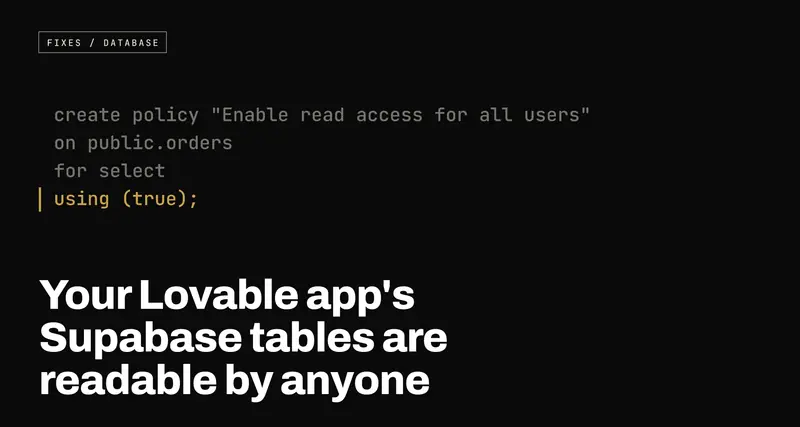
Your Lovable app's Supabase tables are readable by anyone: how RLS works and how to check yours
USE WHENYour app was built with Lovable, Bolt or Cursor on Supabase, it has real users, and nobody has ever read its row-level security policies.
The Supabase key inside your app's JavaScript is public by design. The only thing between that key and every row in your database is row-level security, and if it's switched off or written as using (true), anyone can read your tables with one curl command. How to check in two minutes, and the policies to write instead.
If your app was built with Lovable, Bolt or Cursor and it talks to Supabase,
there's a key sitting in its JavaScript. Open your live site, open the browser's
developer tools, look at any request going to supabase.co, and you'll see it in
the headers. Anyone can do that. It takes about fifteen seconds.
That's not the bug. That key is meant to be public. The bug is what it can reach when nobody has told the database otherwise, and on a lot of AI-built apps the answer is: every row, in every table, for anyone who asks.
Why the key is public, and why that's fine
Supabase gives your frontend a key called the anon key (in newer projects,
the publishable key, starting sb_publishable_). Your app has to ship it to
the browser, because the browser talks to the database directly. There's no
server of yours in between. That's the whole appeal: no backend to write.
So the key can't be the lock. Supabase's design is that the key only identifies
which project you're talking to, and a request made with it runs as a
low-privilege Postgres role called anon, or authenticated once the user has
logged in. What those roles are allowed to see is decided inside Postgres
itself, by a feature called row-level security, or RLS.
With RLS on, every query is filtered through rules you write, called policies:
this user may read rows where the user_id column is their own id. With RLS
off, there is no filter. The anon role can read, and on a default setup also
insert, update and delete, everything in the table.
The mental model that helps founders most: the anon key is your front door address, not your front door key. RLS is the lock. An address printed on every page of your website is fine, provided the lock is on.
Two ways it goes wrong
The first is the obvious one. A table was created with RLS disabled. Tables
created from raw SQL (which is what an AI tool's migrations are) don't get RLS
unless the SQL turns it on, and a single missed enable row level security on a
single table is enough.
The second is sneakier, because it looks like security. RLS is enabled, and there's a policy, and the policy says this:
create policy "Enable read access for all users"
on public.orders
for select
using (true);
using (true) means the condition is always true, so every row passes. No
role is specified, so it applies to public, which in Postgres means every role,
anon included. This table has RLS turned on and is exactly as open as if it
didn't. Dashboards that count "tables with RLS enabled" will happily count it.
A close relative is a policy that checks you're logged in, and nothing else:
using (auth.role() = 'authenticated')
That feels stricter. But on almost every app, anyone can sign up. So "any logged-in user can read every order" is one free signup away from "anyone can read every order".
How to check yours in two minutes
Open your project in the Supabase dashboard, go to the SQL Editor, and run this:
select c.relname as table_name,
       c.relrowsecurity as rls_enabled
from pg_class c
join pg_namespace n on n.oid = c.relnamespace
where n.nspname = 'public'
  and c.relkind = 'r'
order by c.relrowsecurity, c.relname;
Any row with rls_enabled = false is a table the anon key can read in full. They
sort to the top.
Then look at the policies you do have:
select tablename, policyname, roles, cmd, qual, with_check
from pg_policies
where schemaname = 'public'
order by tablename;
Read the qual column (that's the using condition) and the with_check
column. You're looking for true, for anything that only checks
auth.role(), and for tables that hold personal data but have no policy
mentioning auth.uid() at all.
The dashboard will also tell you some of this without SQL: the Security
Advisor (under Advisors) flags tables in the public schema with RLS
disabled. It does not tell you whether the policies you have are any good.
That part needs a human to read them.
If you'd like to see it from the attacker's side, this is the entire attack. Your project URL and anon key are both in your site's JavaScript:
curl "https://YOUR-PROJECT.supabase.co/rest/v1/orders?select=*" \
  -H "apikey: YOUR-ANON-KEY"
If that prints your customers' orders, so can anyone else's terminal.
The fix: policies that name an owner
Every table that holds user data needs two things: RLS on, and policies that tie
each row to the user allowed to see it. Most tables already have the column that
makes this possible, usually user_id, pointing at auth.users.
-- 1. Turn the lock on. With RLS on and no policies, the anon key sees nothing.
alter table public.orders enable row level security;

-- 2. Signed-in users can read their own orders, and only their own.
create policy "Users read own orders"
on public.orders
for select
to authenticated
using ( (select auth.uid()) = user_id );

-- 3. They can create orders, but only in their own name.
create policy "Users create own orders"
on public.orders
for insert
to authenticated
with check ( (select auth.uid()) = user_id );

-- 4. They can edit their own orders, and can't hand one to somebody else.
create policy "Users update own orders"
on public.orders
for update
to authenticated
using ( (select auth.uid()) = user_id )
with check ( (select auth.uid()) = user_id );
A few things in there are deliberate:
to authenticatedmeans theanonrole gets no policy, so a visitor who hasn't logged in reads nothing. Leavetooff and the policy applies to everyone.auth.uid()is the id of the user making the request, taken from their login token, which they can't forge. That's what makes the comparison mean something.usingfilters which existing rows a user can see or touch.with checkvalidates the row being written. The insert policy needswith check, or a user could create an order with someone else'suser_id.(select auth.uid())instead of bareauth.uid()is Supabase's own performance advice: wrapped in a select, Postgres evaluates it once per query instead of once per row, which matters as soon as a table has real volume.- No delete policy is written, so nobody can delete orders through the API. With RLS on, anything you don't explicitly allow is denied. That's the right default: add permissions one at a time, on purpose.
Some data genuinely is public: a product catalogue, published blog posts. It's
fine for those to be readable by anon, but say so narrowly: for select, and
only the rows that are meant to be public:
create policy "Anyone can read published posts"
on public.posts
for select
to anon, authenticated
using ( published = true );
After you've changed things, run the curl command from above again. A
protected table now answers with []: an empty list, not an error. That empty
list is what success looks like.
Three things that get past RLS anyway
Even with every table locked, these are worth a look, because they bypass the policies you just wrote.
The service role key in the frontend. Supabase has a second key, the
service_role (or sb_secret_) key, which ignores RLS completely. It belongs
on a server and nowhere else. If your code has anything like
VITE_SUPABASE_SERVICE_ROLE_KEY, it is in your public JavaScript right now,
and RLS is irrelevant: rotate the key in the dashboard today, then move whatever
needed it into an edge function.
Views. A view in Postgres runs, by default, with the permissions of whoever
created it, which in Supabase is an admin role. A view over orders can
quietly serve every order even though orders itself is locked. On Postgres 15
and later, create views with with (security_invoker = true) so they respect
the caller's RLS.
A user editing their own permissions. A common schema keeps a role or
is_admin column on the profiles table, and gives users an update policy on
their own profile so they can change their display name. That policy also lets
them set is_admin = true on themselves. Keep anything that grants power in a
separate table that users have no write policy on.
What this doesn't cover
RLS decides who can read and write rows through the API. It doesn't cover
files in Supabase Storage, which have their own policies on storage.objects
and their own public/private bucket switch, and it doesn't cover edge functions,
which run with whatever key you give them. If your app stores uploads, check
those next.
And if you've read this far and aren't sure what your qual column is telling
you, that's normal. Policies are short, but they're the one part of an AI-built
app where "it seems to work" and "it's safe" are completely different
statements, and the only way to know which one you have is to read them.
