CONTENTS · ROADMAP · 4 MIN
ROADMAP · 4 MIN READ
YOU GET
A 30-day, one-task-a-day AI roadmap and a two-page printable PDF
FORMAT
ON PAGE + PDF
DM KEYWORD
ROADMAP
LAST VERIFIED
2 OCT 2026
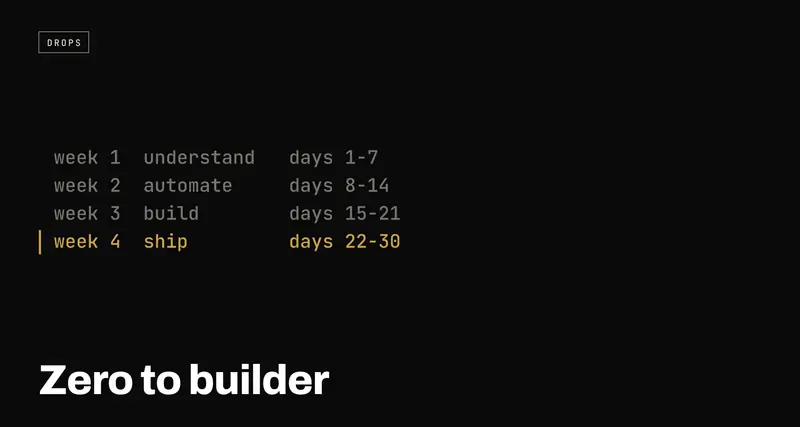
Zero to builder: a 30-day AI roadmap for complete beginners
USE WHENYou're curious about AI, have no coding background, and don't know what day one even looks like.
A day-by-day plan to go from "curious about AI" to having built and shipped something real. Four weeks: understand it, automate one annoying task, build one tiny project, then put it online and tell people. One small task a day, 10 to 20 minutes each. Plus the two-page PDF with a tick box for every day.
The thing that stops most people from building anything with AI isn't skill. It's not knowing what to actually do on day one. "Learn AI" is too big to start, so nobody starts.
So here's the first month broken into thirty small tasks. Four weeks, one task a day, most of them 10 to 20 minutes. No coding background needed for any of it.
The PDF is the same plan on two pages, with a box to tick for every day. Print it or keep it open. Grab it from the download button, or just use this page. Nothing here is gated.
How to use this
Do one day at a time, in order. If you miss a day, don't restart; pick up where you left off. The point isn't speed, it's not stopping.
Week 1: Understand
Just play with it. No building yet.
| 1 | Open an AI chat tool (Claude, ChatGPT or Gemini all work). Ask it to explain your job to a 10-year-old. See how it answers. |
| 2 | Ask it to plan your whole day, then actually follow the plan it gives you. |
| 3 | Learn the word prompt: the message you type to the AI. Rewrite a vague question to say what you want, who it's for, and how long. Watch the answer get better. |
| 4 | Have it summarise a long article, email or document you've been putting off. |
| 5 | Ask three different AI tools the same question. Compare the answers side by side. |
| 6 | Learn the word hallucination: when AI states something made up with full confidence. Ask it something you already know and check it. |
| 7 | Write down, in one sentence, the most annoying repetitive task in your life or work. You'll use it on Day 10. |
Week 2: Automate
Fix one real, annoying task.
| 8 | Sign up for a free automation tool (n8n or Zapier). Automation just means two apps talking to each other, so you don't do it by hand. |
| 9 | Watch one short beginner tutorial for your tool. Don't build yet, just get oriented. |
| 10 | Take your Day 7 task and break it into three parts: what starts it, what happens in the middle, what "done" looks like. |
| 11 | Build just the trigger, the thing that kicks it off ("a new email arrives", "a form gets submitted"). |
| 12 | Add the action: what the automation should actually do once it's triggered. |
| 13 | Turn it on and test it with real data. Expect it to break the first time. That's normal, not a sign you did something wrong. |
| 14 | Fix whatever broke. Once it runs clean once, you've automated your first real task. Write it down. |
Week 3: Build
Make one tiny project.
| 15 | Install an AI coding tool (Cursor is a solid free option). It puts an AI assistant right inside the place you write code. |
| 16 | Pick something small: a personal to-do list, a one-page site about you, or a tiny tool for one specific annoyance. |
| 17 | Describe it in plain English, like you're explaining it to a person, and let the AI write the first version. |
| 18 | Run it. It probably won't work perfectly the first time. That's expected, not a setback. |
| 19 | Copy any error message and paste it straight back into the AI. Repeat until it runs cleanly. |
| 20 | Add one small feature you didn't originally ask for. This is where you go from following instructions to steering. |
| 21 | Show it to one person. Watch them use it without your help and notice exactly where they get confused. |
Week 4: Ship
Put it online, then tell people.
| 22 | Fix whatever confused the person from Day 21. |
| 23 | Learn the word deploy: putting your project on the internet so anyone can open it with a link. |
| 24 | Deploy it with a free hosting option. Many AI coding tools now have a one-click "publish" button built in. |
| 25 | Send the live link to three people you trust. Ask each for exactly one honest piece of feedback. |
| 26 | Fix whichever issue came up more than once. |
| 27 | Write one paragraph about why you built it and what you learned. It makes Day 28 easy. |
| 28 | Post about what you built, somewhere public, even if it feels small. |
| 29 | Look back at Day 1. Notice everything you understand now that you didn't a month ago. |
| 30 | Pick your next 30-day project. You already know the shape of it now. |
Day 28 is the one everyone skips
Most people who get to week four quietly stop at Day 27. The thing works, it's online, and posting about it feels like showing off something small.
Post it anyway. A tiny thing you shipped and talked about is worth more than a big thing nobody knows exists. It's the step that actually gets you noticed, and the paragraph you wrote on Day 27 is already the post.
The one rule
You don't need to feel ready before Day 1. Nobody does. The plan is what makes readiness unnecessary.
Where to go next
If a word on the list trips you up, the AI jargon decoder explains 25 of them in one plain sentence each. For Week 2, the automation swipe file has twenty ideas if your Day 7 task isn't obvious. For Week 3, the AI context file stops you re-explaining your project every time you open a new chat. And before real people use what you shipped in Week 4, run through the production checklist.
