CONTENTS · JARGON · 4 MIN
JARGON · 4 MIN READ
YOU GET
A 25-term plain-English AI glossary and a one-page PDF
FORMAT
ON PAGE + PDF
DM KEYWORD
JARGON
LAST VERIFIED
29 SEPT 2026
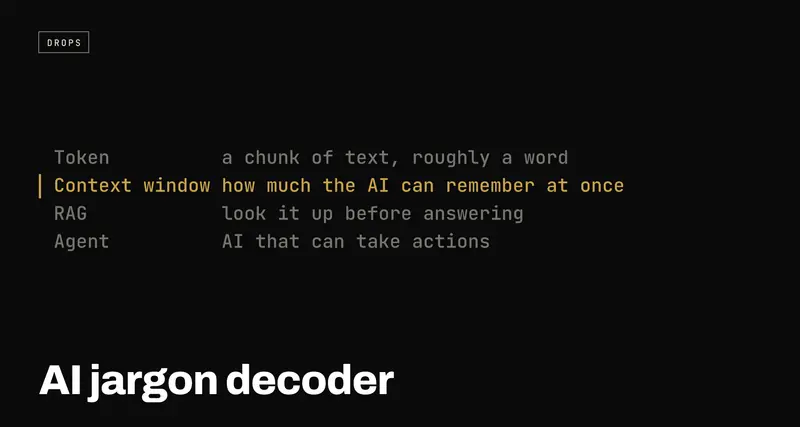
AI jargon decoder: 25 AI words explained in plain English
USE WHENSomeone says "token", "context window" or "RAG" in a meeting and you nod along.
The 25 AI words that come up most, from LLM and token to RAG, embeddings and guardrails, each explained in one plain sentence with no jargon explaining jargon. Grouped so each word builds on the one before, with a note on the handful that cost you money or break your app. Plus the one-page PDF.
Every AI conversation is full of words that get thrown around as if everyone already knows them. Token. Context window. Fine-tuning. Agent. Most people nod, because asking "wait, what does that actually mean?" feels embarrassing.
None of these words are actually complicated. They just never got explained in plain English. Here are the 25 that come up the most, each in one sentence you could say to a ten-year-old.
The PDF is the same list on one page, ready to keep open in a tab or print. Grab it from the download button, or just use this page. Nothing here is gated.
The basics: what you're talking to
| 1 | AI (Artificial Intelligence) | Software that can do things which normally need a human brain, like understanding language or recognising a photo. |
| 2 | LLM (Large Language Model) | The type of AI behind tools like Claude or ChatGPT. It's been shown huge amounts of text so it can predict and write language that makes sense. |
| 3 | Model | The actual "brain" file that does the thinking. When people ask "which model are you using?", they mean which AI brain. |
| 4 | Prompt | What you type to the AI. Your instructions or your question. |
| 13 | Hallucination | When an AI confidently says something that's wrong or made up, without realising it. |
| 22 | Multimodal | An AI that can handle more than text: images, audio or video too. |
How it reads and remembers
| 5 | Token | A small chunk of text, roughly a word or part of a word. AI reads text in tokens, and most AI tools charge you by how many tokens go in and out. |
| 6 | Context window | How much text the AI can "remember" at once in one conversation. Go past it and the earliest parts start dropping out. |
| 8 | System prompt | Hidden instructions given to the AI before your conversation starts, telling it how to behave: its personality and its rules. |
| 14 | Temperature | A setting for how "creative" or random the answers are. Low is safe and predictable; high is more surprising, and sometimes weirder. |
| 19 | Zero-shot / few-shot | Zero-shot is asking the AI to do something with no examples. Few-shot is showing it a couple of examples first. |
| 20 | Chain of thought | When an AI is asked (or trained) to "think out loud" step by step before giving its final answer, which usually makes it more accurate. |
How it's made
| 10 | Training data | All the text, images or examples a model learned from before it was released. |
| 11 | Parameters | The internal "settings" a model learned during training. More parameters roughly means a bigger, more capable, and usually slower and pricier model, though not always. |
| 12 | Inference | The moment the AI actually generates a response for you. Training is teaching it; inference is it doing the work live. |
| 9 | Fine-tuning | Taking an existing model and training it a little more on specific examples, so it gets better at one particular job. |
| 21 | Open source vs closed source | Open source means the model is public and anyone can run or change it. Closed source means only the company that built it controls access. |
How apps use it
| 7 | API (Application Programming Interface) | A way for one piece of software to talk to another. When an app "uses AI", it's usually sending requests through an API to an AI company's model. |
| 15 | Agent | AI that can take actions for you, like clicking buttons, running code or browsing the web, not just chat back. |
| 16 | RAG (Retrieval-Augmented Generation) | A setup where the AI looks up real information, like your documents, before answering, instead of relying only on what it memorised in training. |
| 17 | Embedding | A way of turning text into numbers so a computer can measure how similar two pieces of text are in meaning. |
| 18 | Vector database | Storage built to hold those embedding numbers, so an AI can quickly find similar information later. |
| 23 | Latency | How long you wait between sending a prompt and getting a response. Lower latency means a faster reply. |
| 24 | Rate limit | A cap on how many requests you can send an AI tool in a given time before it makes you wait. |
| 25 | Guardrails | Rules and filters built around an AI to stop it doing or saying things it shouldn't. |
The numbers match the PDF, so you can point at "number 16" on a call and everyone's looking at the same line.
The five that actually cost you
Most of these words are vocabulary. Five of them show up on your bill or in your bug reports, and they're worth understanding one level deeper.
Token. You pay per token, in and out. A long pasted document plus a long answer is the expensive combination. When a bill surprises you, it's almost always a token count nobody looked at.
Context window. When a long chat starts "forgetting" what you told it at the start, this is why. Start a fresh chat with a short summary instead of scrolling up to repeat yourself. A context file you paste at the top does this for you.
Hallucination. The AI isn't lying; it doesn't know it's wrong. Anything you'll publish, send or act on (numbers, names, quotes, links) gets checked. RAG helps, because the answer is anchored in real documents, but it doesn't make checking optional.
Rate limit. The thing that works in testing and falls over at launch. If your app calls a model, plan for "please wait" before your users meet it.
Model. The model behind a product can change under the same name. If you've built something on top of one, pin the version and keep rechecking its answers.
Where to go next
Once the words make sense, the next step is picking which tool to use for what: the AI builder's cheat sheet compares the models side by side. And when you're ready to use them well, the AI Prompt Playbook has a hundred prompts that put "system prompt" and "few-shot" to work.
