CONTENTS · BUILDER WISDOM · 3 MIN
BUILDER WISDOM · 3 MIN READ
LAST VERIFIED
29 SEPT 2026
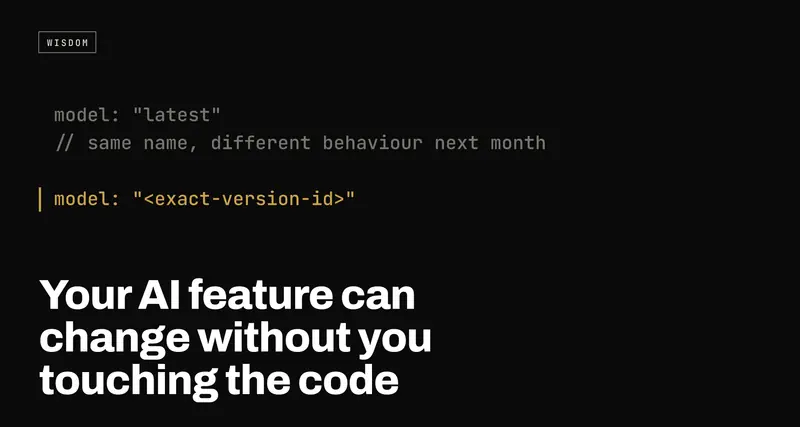
Your AI feature can change without you touching the code: pin the model, then keep rechecking it
USE WHENYou shipped a feature that calls an AI model, tested it once, and haven't looked at its answers since.
The model behind your AI feature isn't something you shipped. It's rented, and the name you call it by can point at different behaviour next month. Two habits protect you: pin an exact model version instead of "whatever's current", and recheck the feature's real answers on a schedule, not just on launch day.
- 01Pin the model to an exact version ID in your code, not a moving name like "latest". Changing it becomes a decision you make, not one made for you.
- 02Save twenty real inputs with the answers you'd accept, and rerun them every few weeks and before every model change.
- 03Put the model ID next to every logged answer, so when something starts sounding different you can tell whether the model moved or your code did.
Nobody tells founders this part: the AI model behind your feature isn't a fixed thing you shipped once. It's rented, and the company renting it to you can change what's under the name.
Here's how it goes. You build something, test it, it works, you ship it and move on. Months later it starts explaining things a little differently, or stops catching a case it used to catch. You didn't touch the code. Nothing in your deploy history changed. The ground under it moved.
Why the same name can give different answers
Most model providers give you two kinds of names for a model:
- A moving name. Something like "the latest version of this model". It's convenient, because you get improvements without doing anything. It's also a promise that the thing behind it will change.
- A fixed version. A longer ID, often with a date in it, that points at one specific release. The provider's promise is that this one stays the same until they retire it.
If your code calls the moving name, you signed up for changes you won't be told about one by one. The model gets updated, the name stays the same, and the first sign you get is a user saying "it used to do this better".
And even a fixed version doesn't make your feature fixed. Your prompt, the data you feed it and what your users ask all shift over time. Pinning takes out one source of change. It doesn't take out all of them.
Move 1: pin the exact version
Order a specific shoe size, not just "a shoe". In practice that means the model string in your code (or your config) is the full version ID from the provider's docs, not the short alias.
The point isn't that the old version is better. The point is that changing models becomes a decision: something you do on purpose, on a day you choose, with a test run before and after. Not something that happens on a Tuesday while you're asleep.
Check this today. Find every place your app calls a model and look at the name it uses. If it's the short one, that's your first fix.
Move 2: recheck the real answers, on a schedule
Launch-day testing tells you the feature worked on launch day. That's all it tells you.
The cheap version of ongoing checking is small enough to do this week:
- Save twenty real inputs. Real ones, from your logs or your own testing, including the awkward cases: the long one, the vague one, the one it got wrong once.
- Write down what a good answer looks like for each. Not the exact words, just what it must do and must never do. "Mentions the refund window." "Never promises a delivery date."
- Rerun them every few weeks, and every time you change the model, the prompt or the data it reads. Read the answers. Twenty takes ten minutes.
That list is what catches drift before your users do. It's also what makes the eventual model upgrade safe instead of scary: run the twenty on the new version, compare, then switch.
Move 3: log which model answered
When a user reports "it's worse now", the first question is what changed. If every logged answer carries the model ID it came from, you can answer that in a minute. Without it you're guessing between your code, your prompt, your data and the provider, and guessing is where the week goes.
The honest cost
Pinning isn't free. You stop getting improvements automatically, and providers retire old versions, usually with notice and a deadline. So you've traded surprise changes for planned ones, and planned ones need an owner and a date on a calendar.
That's still the right trade. A change you scheduled, tested against your twenty cases and rolled out on purpose is a Tuesday. A change you found out about from a customer is an incident.
If you've never rechecked something you shipped with AI in it, that's the gap. Treat it as the one habit that belongs after the production checklist for AI-built apps: that list gets you to launch day, and this is what keeps launch day's answers true. The "what breaks if you swap the model" question in how to tell an AI wrapper is the same idea from the other side.
