CONTENTS · CONTEXT · 5 MIN
CONTEXT · 5 MIN READ
YOU GET
A 5-part context file template, a worked example, and the PDF
FORMAT
ON PAGE + PDF
DM KEYWORD
CONTEXT
LAST VERIFIED
25 SEPT 2026
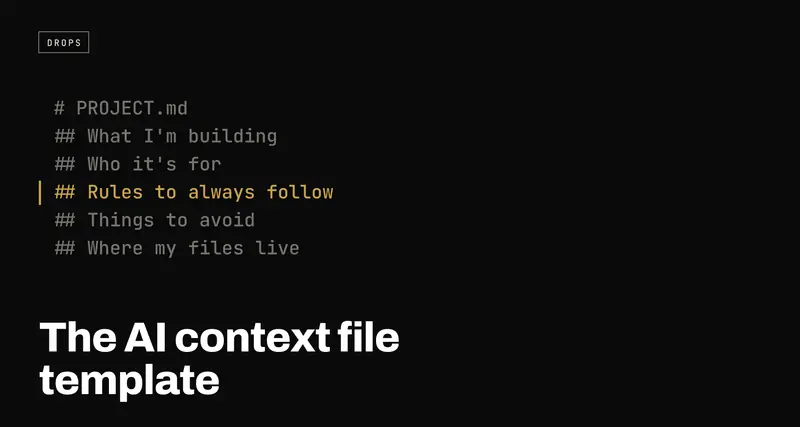
The AI context file template: stop re-explaining your project to every new chat
USE WHENYou open a new AI chat and spend the first five minutes explaining your project again.
One file you write once and hand to every AI tool you use: what you're building, who it's for, the rules to always follow, the things to avoid, and where your files live. The fill-in template, a fully worked example, and exactly where to put the file in Claude, ChatGPT, Cursor and the coding agents. Plus the PDF.
Every new AI chat starts from zero. It doesn't know what you're building, who it's for, how you like things done, or what you told it yesterday. So you explain it all again, a little worse each time, and the answers come back generic because the model is filling every gap with the average of everything it's ever seen.
That isn't a prompting problem. It's a context problem, and the fix is boring: write the context down once, in one file, and hand it to the model before you ask for anything.
The PDF is the same template, ready to print or fill in. Grab it from the download button, or just copy the sections below. Nothing on this page is gated.
Why one file beats a better prompt
A prompt tells the model what to do right now. A context file tells it who it's working for, every time. The difference shows up in three places:
- You stop re-deciding things. Your rules ("never invent statistics", "keep it short") are written once, so they apply to every chat, not just the ones where you remembered to say them.
- The answers stop being generic. "Write a caption" with no context gets you the average caption. The same request after the model knows your audience and your voice gets you your caption.
- It travels. The same file works in Claude, ChatGPT, Cursor, Gemini or whatever you switch to next month. Your context isn't locked inside one tool's memory feature.
How to use it
- Copy the five sections below into a blank document.
- Fill in each one in plain sentences. A few lines per section is enough to start; you'll add to it as you notice the model getting something wrong.
- Save it somewhere you can find in two seconds: a Notes page, a Google Doc,
a Notion page, or a file called
PROJECT.mdin your project folder. - Start every new chat by pasting it in, or put it where your tool reads it automatically (see where to put it, below).
- Update it whenever something important changes. A stale context file is worse than none, because the model trusts it.
The template
1. What I'm building (one sentence)
Why it matters: this is the frame every answer gets read through. If you can't say it in one sentence, the model can't either.
Example: "A free Instagram growth system for my personal account, built around giving away useful templates."
What I'm building:
______________________________________________
2. Who it's for
Why it matters: "who's reading this" changes the vocabulary, the length and the examples. Without it, the model writes for everyone, which means no one.
Example: "People who want to grow an audience without knowing video editing or the algorithm."
Who it's for:
______________________________________________
3. Rules to always follow
Why it matters: these are the things you keep correcting. Every rule here is a correction you never have to type again.
Example: "Keep answers short and simple. Never make up facts or statistics. Always write in my voice: direct, casual, first person."
Rules to always follow:
1. ___________________________________________
2. ___________________________________________
3. ___________________________________________
4. Things to avoid
Why it matters: models are eager to help, and "help" often means suggesting the thing you can't use. Naming what's off the table saves a round trip every time.
Example: "Don't use corporate or salesy language. Don't suggest anything that needs expensive tools or editing skills I don't have."
Things to avoid:
1. ___________________________________________
2. ___________________________________________
5. Where my files and data live
Why it matters: once the model knows where things are, it can point at them, and in tools that can read your folders, go and get them instead of asking.
Example: "My content calendar is in content_calendar.xlsx. Past posts are
in generated/. New output goes in generated/, one file per date."
Where my files live:
______________________________________________
One filled-in example
This is the real shape of the file behind the account this page came from:
| 1. What I'm building | A weekly Instagram Reel series that gives away one useful AI/builder resource per post, to grow my personal page. |
| 2. Who it's for | Solo builders and creators who want practical AI tips without jargon. |
| 3. Rules to always follow | Keep scripts simple enough for a 10-year-old to follow. Never invent stats or news. Always end with a clear call to action. |
| 4. Things to avoid | No corporate tone. Never assume the viewer has editing software or stock footage. |
| 5. Where my files live | Calendar in content_calendar.xlsx. Finished posts saved in generated/, one file per date. |
And the same thing as a file, which is how it actually gets used:
# PROJECT.md

## What I'm building
A weekly Instagram Reel series that gives away one useful AI/builder
resource per post, to grow my personal page.

## Who it's for
Solo builders and creators who want practical AI tips without jargon.

## Rules to always follow
- Keep scripts simple enough for a 10-year-old to follow.
- Never invent stats or news.
- Always end with a clear call to action.

## Things to avoid
- No corporate tone.
- Never assume the viewer has editing software or stock footage.

## Where my files live
- Calendar: content_calendar.xlsx
- Finished posts: generated/, one file per date
That's the whole trick. The AI that drafts these posts reads that file first, which is how it already knows what day it is in the calendar, what to post and how to sound, without being told again.
Where to put the file
Pasting it at the top of a new chat works everywhere. Most tools also have a place to store it so you never have to paste it at all:
| Claude (claude.ai) | Create a Project and paste the file into the project instructions. Every chat in that project starts with it. |
| ChatGPT | Create a Project and add it as the project's instructions, or put the short version in Custom Instructions for every chat. |
| Claude Code | Save it as CLAUDE.md in the root of your project. It's read at the start of every session. |
| Cursor | Save it as a rule file in .cursor/rules/ in your project. |
| Codex and other coding agents | Save it as AGENTS.md in the project root; most agents look for it. |
| Gemini CLI | Save it as GEMINI.md in the project root. |
| Anything else | Paste it as the first message. It works the same, it's just one more step. |
The file name changes from tool to tool. The five sections don't.
Three mistakes that make it stop working
Writing an essay. The model reads every word, and so does your token budget. If a section runs past a short paragraph, you're describing the project instead of instructing the model. Cut it to what changes the answer.
Rules nobody could check. "Be high quality" isn't a rule; the model already thinks it is. "Never go over 150 words" is. If you couldn't tell whether a response broke the rule, the model can't either.
Never updating it. The file is only as good as it is current. When you catch yourself correcting the same thing twice, that correction belongs in section 3 or 4.
Quick reference
| 1 | What I'm building | What is this, in one sentence? |
| 2 | Who it's for | Who is every answer written for? |
| 3 | Rules to always follow | What do I keep correcting? |
| 4 | Things to avoid | What's off the table? |
| 5 | Where my files live | Where is everything, and where does new work go? |
Fill it in once. Paste it everywhere. Update it when it's wrong.
Pair it with better prompts
The context file tells the model who it's working for. The prompt still has to say what to do. The AI Prompt Playbook is a hundred prompts built on the same idea: context, task, constraints and format, spelled out so the model has nothing to guess.
